Case Study
01 / 04
Year
2026
Scroll
↓ Case Study
Platform
iOS · Android
Mobile App · UX/UI · 2026

SENSA

Research 12 User Interviews
Process 3 Design Iterations
Usability 87% Task Success Rate ↑ +23% vs v1
Efficiency 4 taps Avg. to Diagnosis ↓ reduced flow
Car diagnosticsPlain languageOBD-II
The Project Prototype Complete

Understand what your car is telling you — without a mechanic degree.

SENSA connects to your car's OBD-II port and translates every fault code into plain language, with urgency levels and clear next steps.

UX Research UI Design iOS · Android Figma 4 weeks · 2026
Scroll
Category
Mobile App Design
My Role
UX Research · UI Design · Prototyping
Timeline
4 weeks · 2026
Status
Prototype complete
Step 01

Instant alert

The moment your car detects a fault, SENSA sends a push notification — before the warning light even comes on.

Step 02

One tap to diagnose

Tap the notification and land directly on the fault. No menus, no searching — the problem is front and centre.

Step 03

Live car health

See your health score, active faults ranked by urgency, and exactly what to do next — all in plain language.

Step 04

Find nearby garages

SENSA surfaces verified mechanics near you who specialise in your exact fault — no cold calls, no guessing.

Step 05

Book in one tap

Choose your garage, see availability, and confirm the appointment — all without leaving the app.

S
Sensa now
⚠️ תקלה זוהתה ברכב
קוד P0420 · חומרה: בינונית · הקש לפרטים
01The Problem

Your car is telling you something. You have no idea what.

Modern vehicles generate thousands of diagnostic codes through their onboard computer. When something goes wrong, a warning light appears — but it tells drivers almost nothing useful.

Problem

OBD-II codes are unreadable

Error codes like "P0420" mean nothing to most drivers. The only way to decode them is to visit a mechanic — who may charge just to read the code, before any actual work begins.

Problem

No context, no priority

Even if you Google the code, you get a long, technical explanation with no guidance on urgency. Is it safe to drive? Can it wait? Should you pull over now? There's no clear answer.

Solution

Plain-language diagnostics

SENSA connects to a small OBD-II reader plugged into the car and translates every code into a clear, human explanation — with priority level and recommended next steps.

Solution

Find trusted garages nearby

Once SENSA identifies the issue, it suggests verified nearby garages that specialise in that problem — with ratings, hours, and a navigation shortcut built in.

02How It Works

A chip the size of a USB drive connects your car to your phone.

The OBD-II (On-Board Diagnostics) port is standard in every car made after 1996. SENSA uses a small Bluetooth dongle that plugs into this port and streams real-time data to the app.

The OBD-II Chip

Plug it in. Drive normally. SENSA does the rest.

The reader sits quietly in your car's diagnostic port (usually under the dashboard on the driver's side). Once paired via Bluetooth, SENSA monitors your vehicle continuously.

The app reads fault codes the moment they appear, tracks live engine data, and alerts you — in plain language — before small issues become expensive ones.

Plug into OBD-II port

Under the dashboard, driver's side. Every car since 1996.

Connects via Bluetooth

Pairs automatically with the SENSA app. No setup required.

Real-time monitoring

Reads fault codes, engine RPM, temperature, and more — live.

Plain-language alerts

No codes. No jargon. Just "your rear brake pads are worn — here's what to do."

03User Flow

From panic to plan in under a minute.

The core flow is designed to take a driver from "the warning light just came on" to a clear action plan — without requiring any technical knowledge.

01
🔴
Warning light

Appears on dashboard while driving

02
📱
Open SENSA

App auto-detects new fault code

03
🔍
Read diagnosis

Plain English explanation + severity

04
🏪
Find a garage

Nearby specialists rated for this repair

05
Navigate there

One tap to directions or call

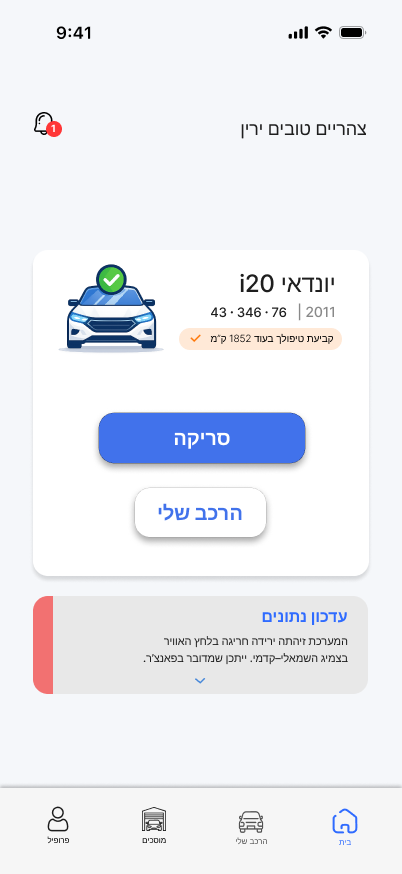
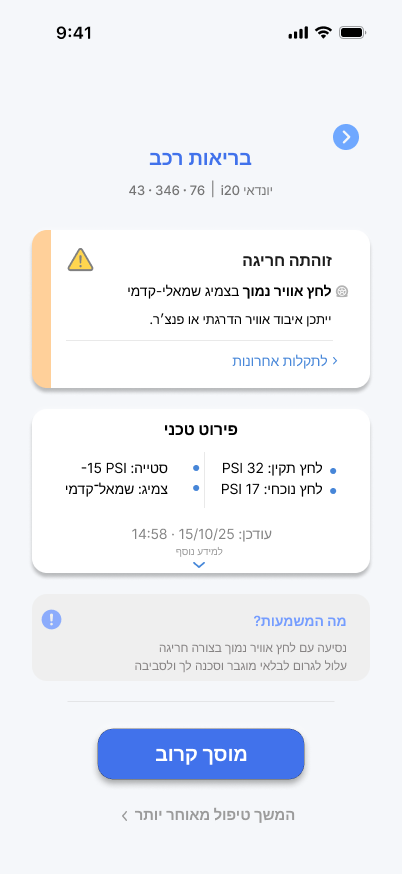
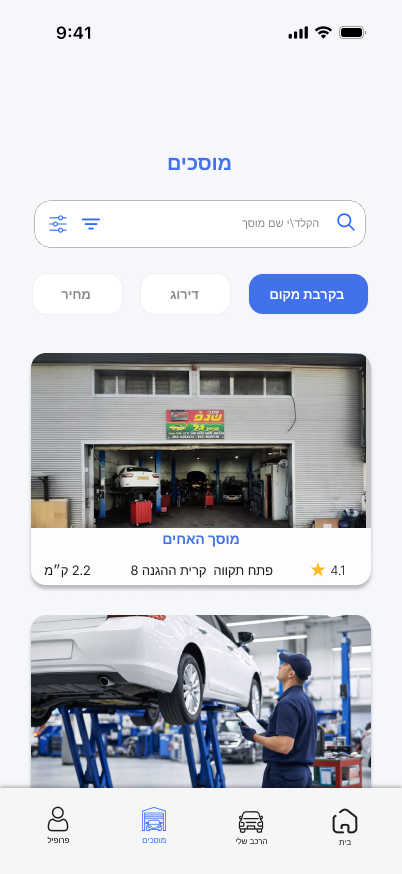
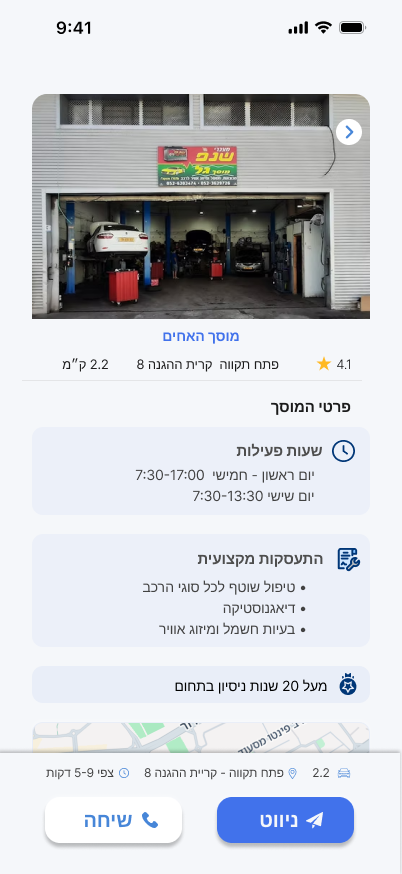
04Key Screens

Five screens. One clear journey.

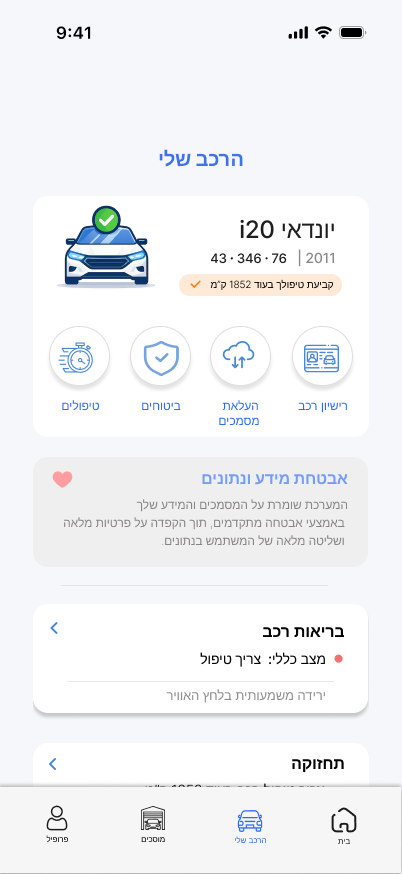
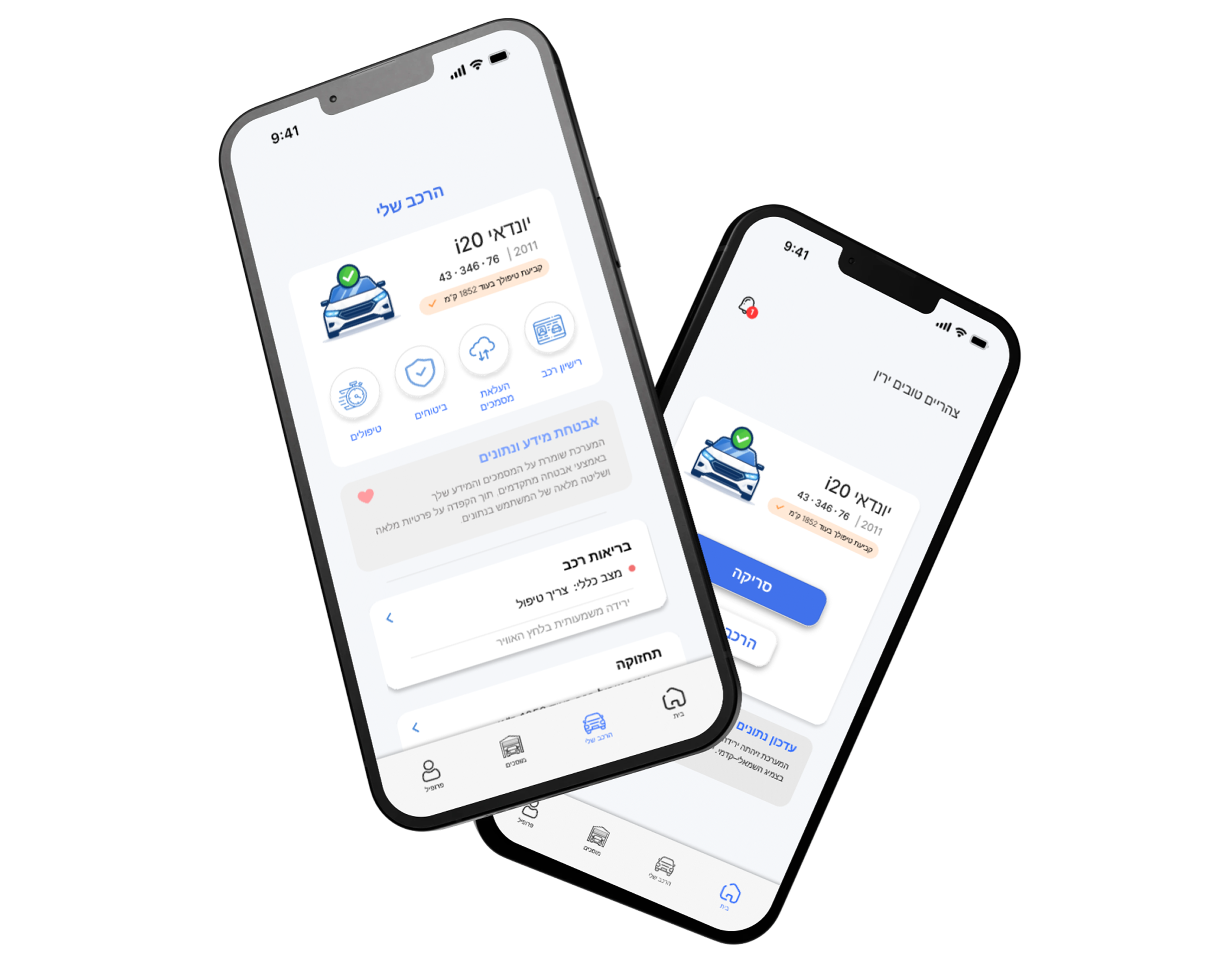
Every screen was designed around a single question: what does the driver need to know right now, and what should they do next?

Home
Home
My Car
My Car
Health
Health Check
Garages
Garages
Detail
Garage Detail
05Core Features

Everything a driver needs.
Nothing they don't.

Real-time diagnostics

Live data from the OBD-II chip — engine temperature, RPM, battery voltage, fuel levels and active fault codes, all updated continuously.

Plain-language explanations

Every fault code translated into a human sentence. "Your catalytic converter efficiency is below threshold" becomes "exhaust filter issue — can wait 2 weeks but don't ignore it."

Severity levels

Each issue is tagged as Critical, High, Medium or Low — so drivers always know whether to pull over immediately, book an appointment this week, or monitor over time.

Garage finder

Curated list of nearby garages filtered by the type of repair needed, sorted by rating and distance. Includes opening hours, phone number and one-tap navigation.

Vehicle history

A timeline of all past issues, repairs and checks — so you always have a full picture of your car's health and can spot recurring problems before they escalate.

Maintenance reminders

Smart reminders for routine maintenance based on mileage and manufacturer schedule — oil changes, tire rotation, brake fluid, and more — so nothing slips through the cracks.

06Design Decisions

Three things that defined
the direction.

These weren't just aesthetic choices — each one came out of research and directly shaped how drivers interact with the app.

01

Language before data

Early testing showed users skipped over raw data. We moved the plain-language summary to the top of every card, with technical details collapsed below — reversing the default order from every competing app.

02

Color-coded severity

Red / Orange / Yellow / Grey. Every issue gets one color that means one thing. No ambiguity. Drivers told us in testing: "I just need to know if I should panic or not." This system answers that before they read a word.

03

One primary action per screen

Each screen has one dominant CTA. "Find garages." "Call now." "Add to reminders." We removed every secondary action that wasn't essential — cutting the average decision load per screen by roughly half.

Try it yourself

See SENSA in action — live in Figma.

The clickable prototype covers the full diagnostic flow — from connecting the OBD chip to finding a nearby garage. No sign-up required.

View Figma Prototype
← Back All Projects
quot;שימוש הוגןquot; ולמטרות לא רוחליות. · Some works displayed on this site may contain copyrighted material and used for educational purposes during studies at 6b studio as quot;fair usequot; and non profitable purposes.