Staff managed critical information through scattered channels — paper logs, WhatsApp groups, verbal handovers. Rooms slipped through, guests waited, and managers had no single view of what was happening.
Hotel departments operated in silos. Maintenance didn't know about guest complaints. Reception had no live room status. Shift handovers depended on word-of-mouth.
Managers walked the floor constantly just to understand what was going on — no single source of truth existed.
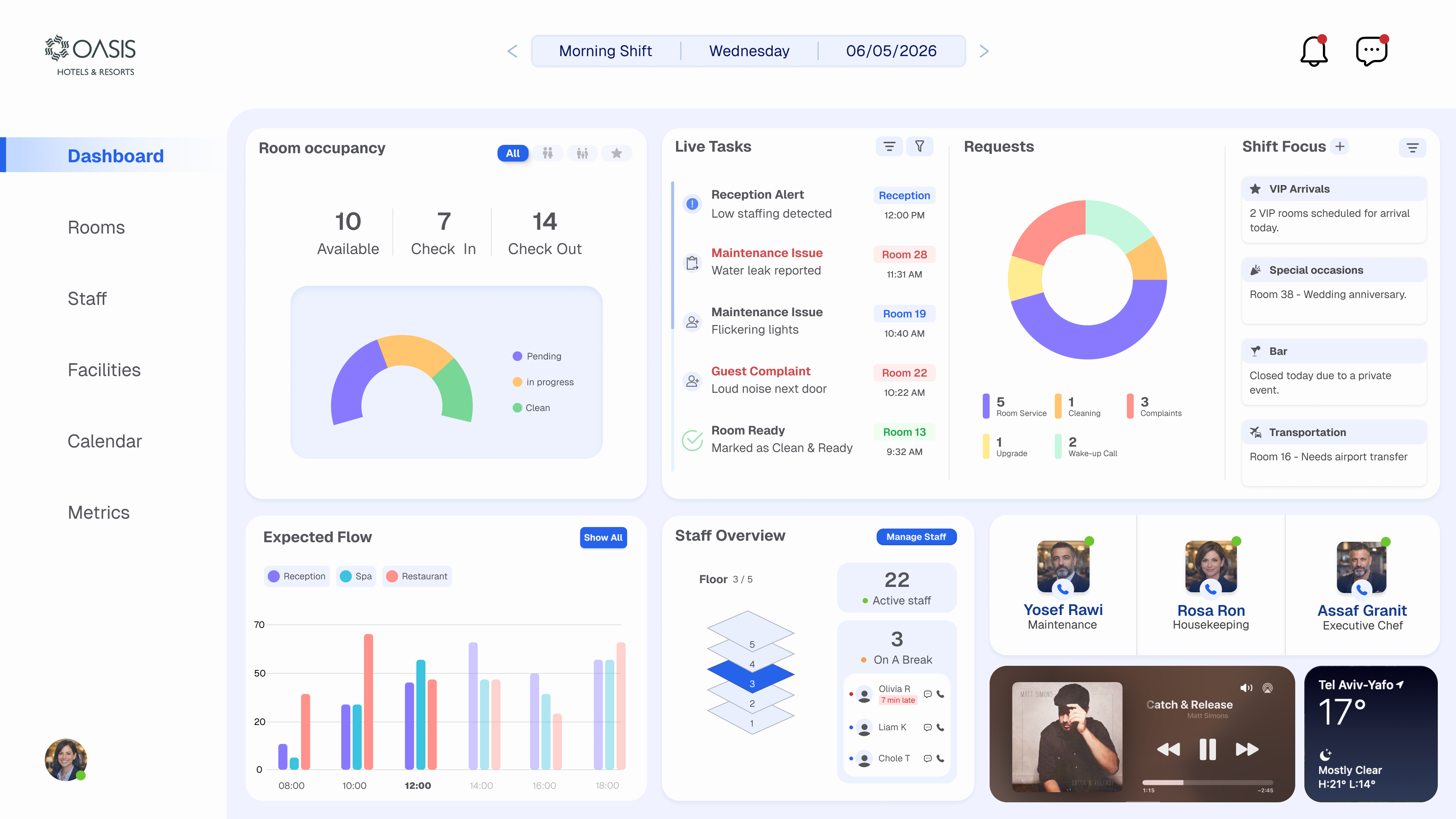
One real-time dashboard surfaces what matters most: live task feed, room occupancy at a glance, incoming requests by type, and a shift focus panel for VIP arrivals and special occasions.
Everything a manager needs to run the shift is visible in the first 30 seconds of opening the app.
Available, occupied, check-in, check-out, and cleaning — all tracked in real time with a visual occupancy gauge.
Live task stream with urgency levels, assigned staff, room numbers, and real-time status — from reception alerts to maintenance issues.
Active staff by department and floor, who's on break, and key personnel at a glance — reducing coordination overhead between departments.
Pinned priority items for the current shift — VIP arrivals, special occasions, closures — so nothing critical gets buried in the noise.
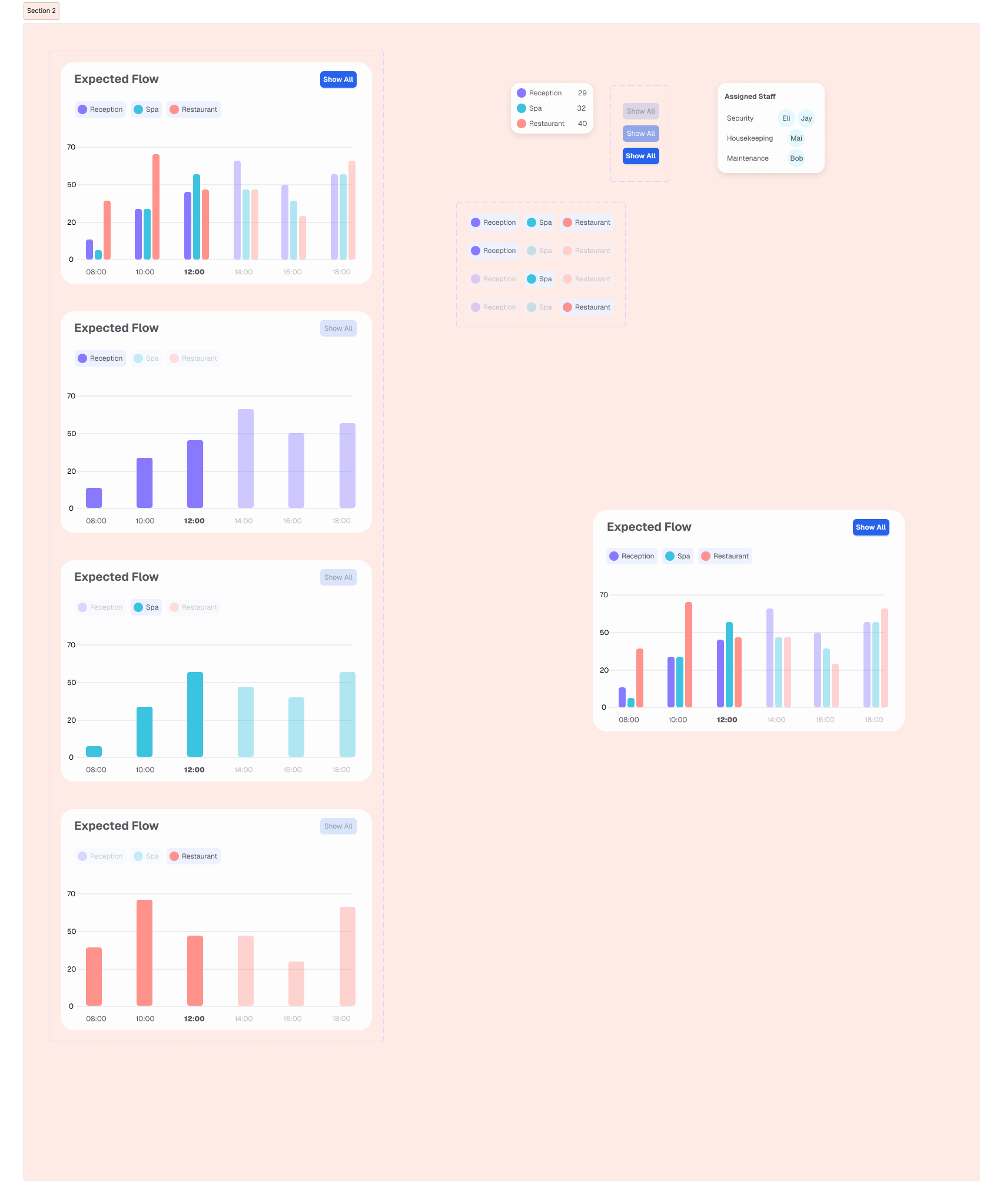
Bar chart forecasting guest volume by hour across reception, spa, and restaurant — helping staff plan coverage before the rush hits.
Incoming requests visualized by category — room service, cleaning, complaints, upgrades — with counts and urgency to prioritize response.
The dashboard was designed around a single primary user: the hotel manager on shift. Understanding her pain points shaped every layout choice and information priority.
Needs to see what's happening right now — which rooms have issues, which guests need attention, what tasks are overdue — without asking around.
Wants to manage the entire hotel from a single screen. Hates switching between tools, WhatsApp groups, and sticky notes to piece together what's happening.
Reception, maintenance, housekeeping, spa, restaurant, and bar all need to be in sync. She's the hub — the dashboard should make that effortless.
Every VIP arrival, special occasion, and guest complaint needs to be handled before it becomes a problem. Proactive, not reactive.
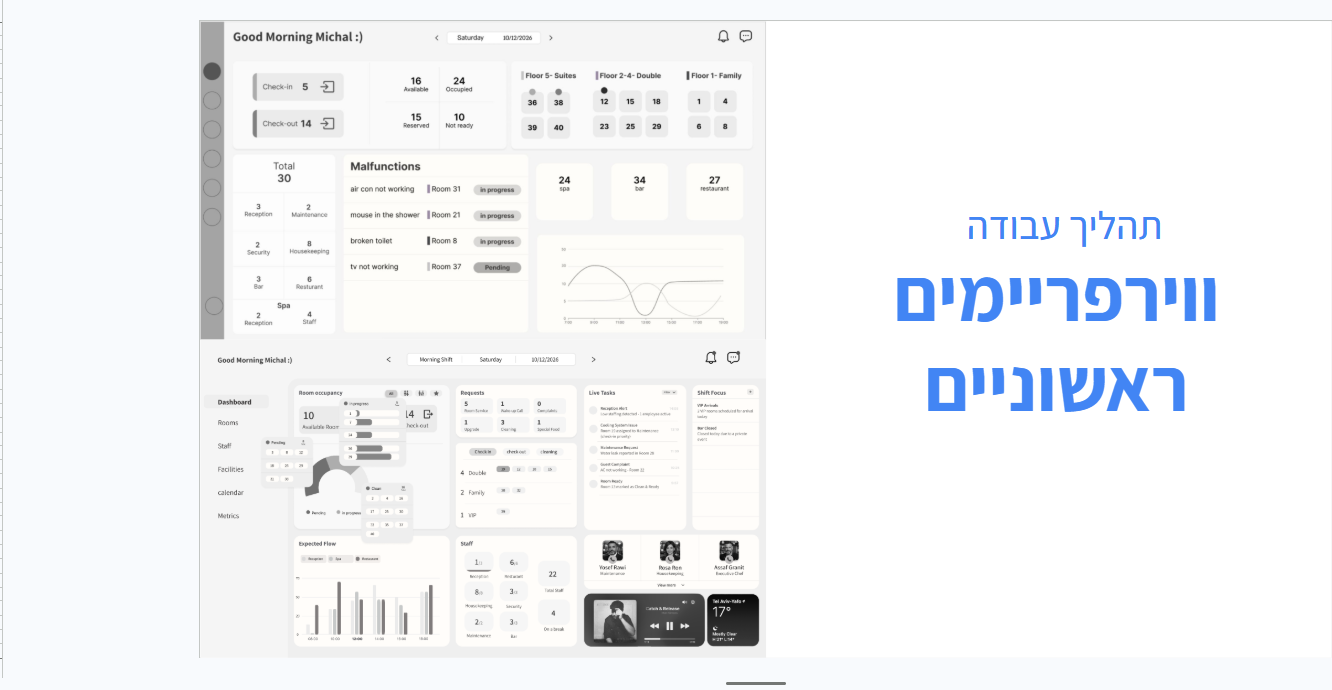
The design went through multiple iterations — starting with raw wireframes to establish information architecture, then progressively adding hierarchy, polish, and real data context.
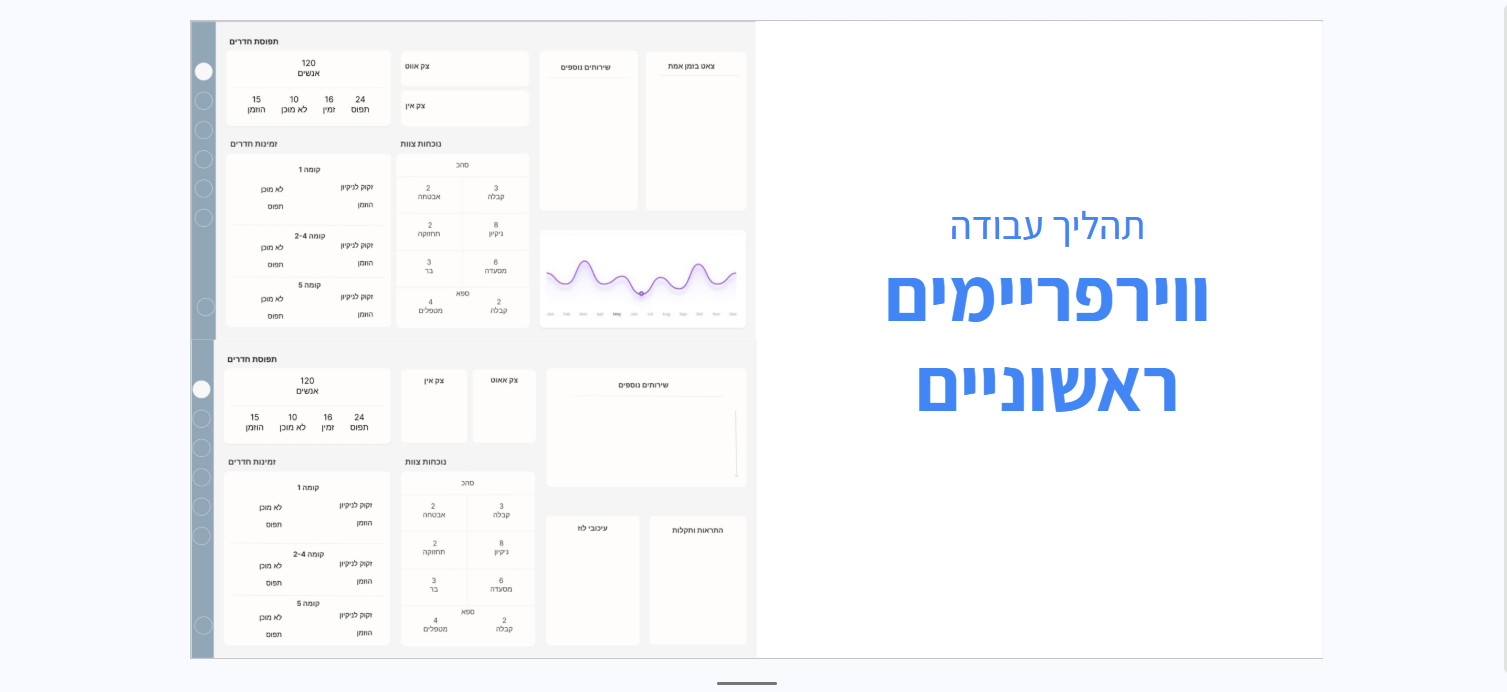
Explored the basic grid structure and key information blocks. No visual polish — just logic: what needs to be visible, and where.
Consolidated the structure, defined panel sizing, introduced the sidebar navigation, and tested real data density inside the wireframe.
Full visual language applied — color system, typography, live charts, staff photos, and real hotel data. Ready for prototype testing.
The dashboard has two primary screens — the main operations view and the rooms overview — covering everything from shift status to individual room management.
Every status, task, and request type has a dedicated color. Staff learn the system once and read the entire dashboard at a glance — no labels needed after the first day.
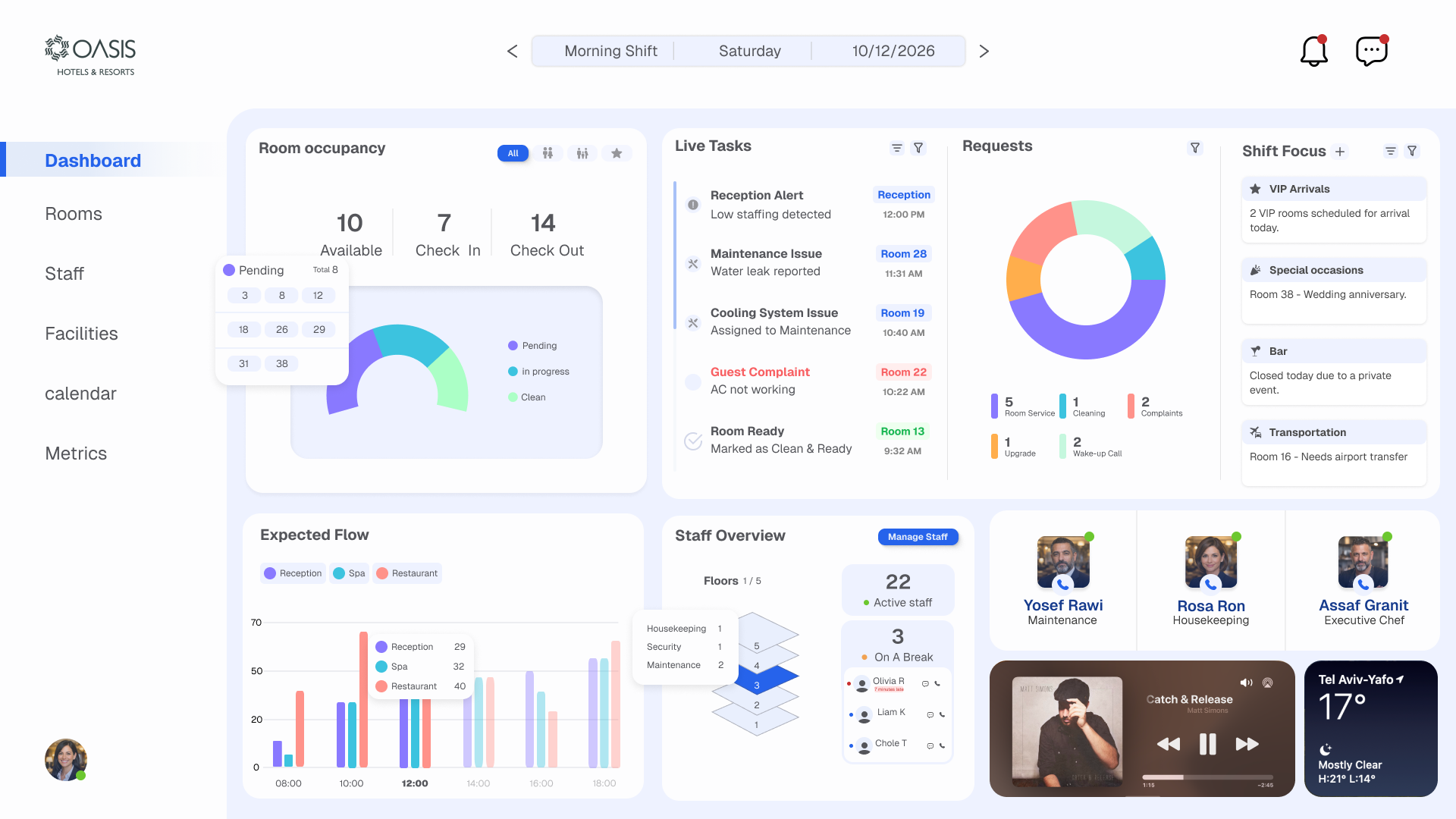
Expected Flow chart shown across four filter states — all departments, reception only, spa only, restaurant only — plus the final combined view and staff assignment panel.
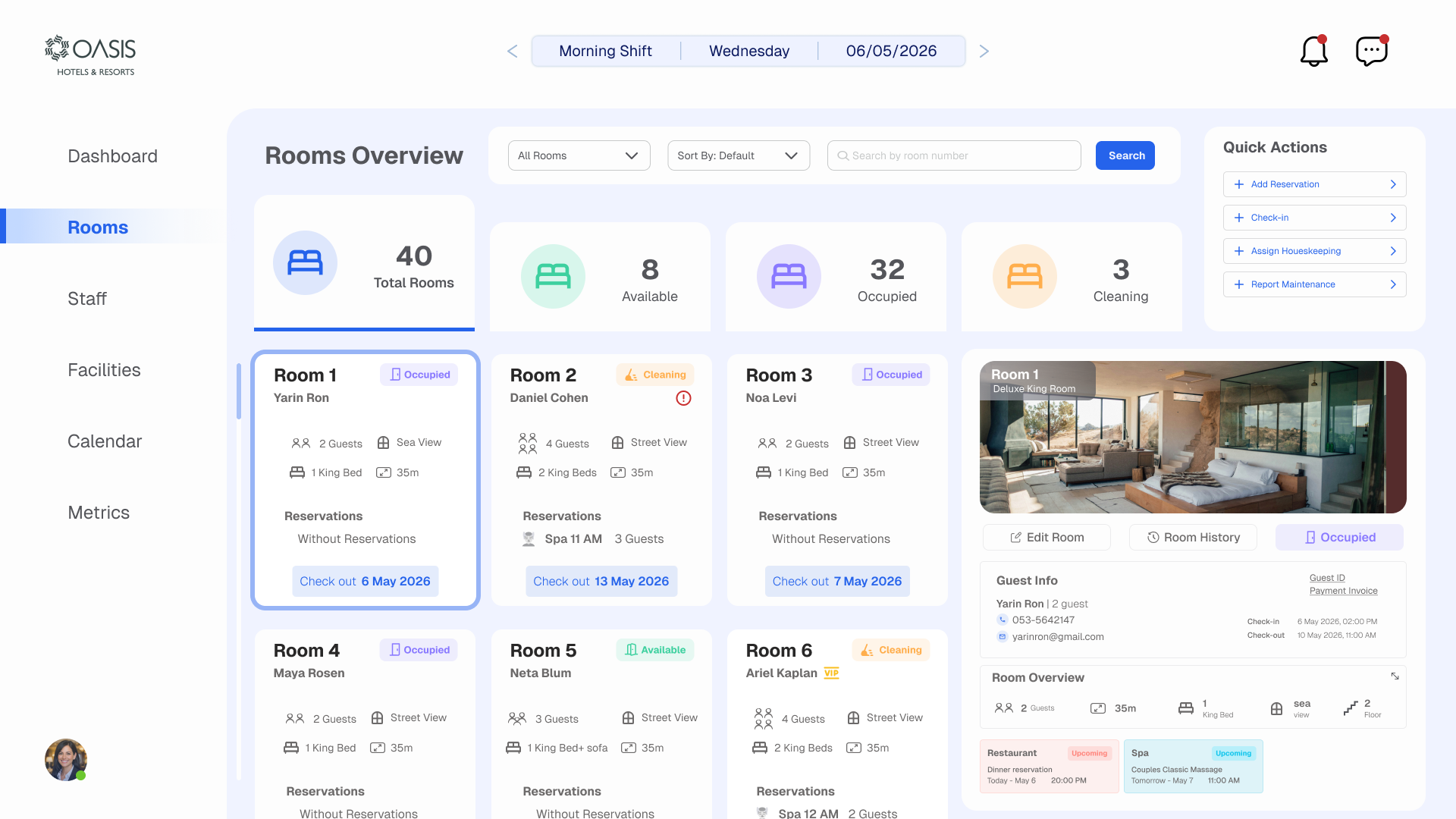
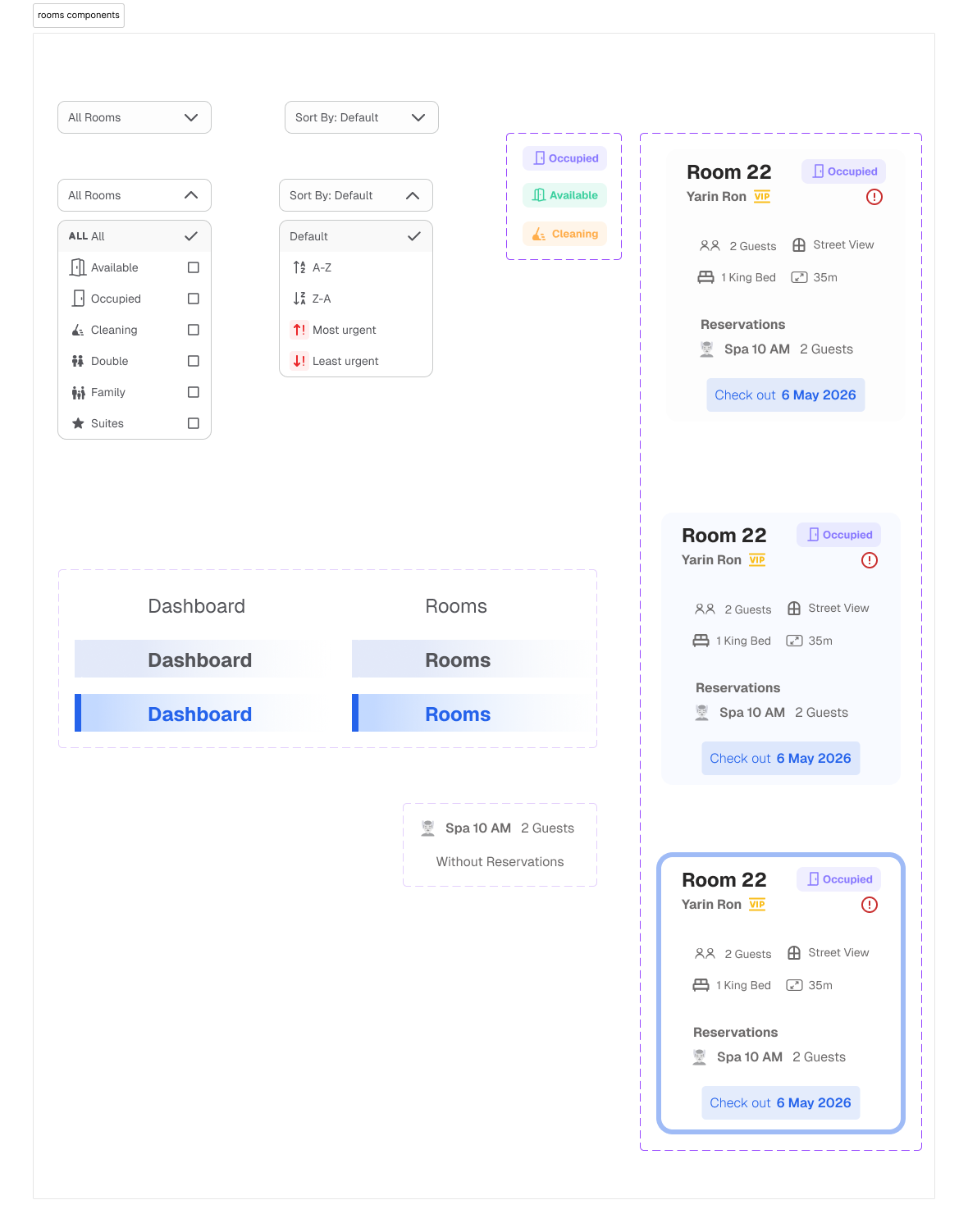
Room card with full guest detail, filter dropdowns (type, sort, urgency), sidebar navigation states, and reservation display — all at different interaction levels.
Each layout and visual decision was made to serve one goal: surface the right information in the right moment, with zero friction.
Room occupancy and live tasks are top-left — the area the eye lands on first. Lower-priority data like Expected Flow sits below. Hierarchy follows urgency, not convention.
Morning / Evening / Night shift indicator is pinned in the top header so every decision is made with the current shift in mind. Date and time surface at all times.
Room occupancy uses a visual gauge instead of a table. Managers can read "how full are we?" in under a second without counting rows or calculating percentages.
Live tasks are color-coded by urgency — red for guest complaints, orange for maintenance, grey for routine. Staff scan the feed and know instantly where to focus.
The Rooms view uses filter-driven cards instead of spreadsheet rows. Each card shows room type, guest name, status, and upcoming checkout — scannable at a glance.
A music player and weather widget add just enough ambient context without cluttering the interface. The manager knows what the lobby feels like without leaving the screen.
Moving from scattered coordination to a unified real-time view shifts the entire way a hotel shift operates — from reactive firefighting to proactive management.
All departments — reception, maintenance, housekeeping, spa, restaurant, bar — share a single real-time view. No more WhatsApp threads or verbal updates lost between shifts.
Guest complaints and maintenance issues surface immediately in the live task feed — with room number, severity, and assigned staff — cutting response time from minutes to seconds.
Everything the incoming shift needs to know — pending tasks, VIP arrivals, room status, staff allocation — is visible instantly. No paperwork, no catch-up calls.